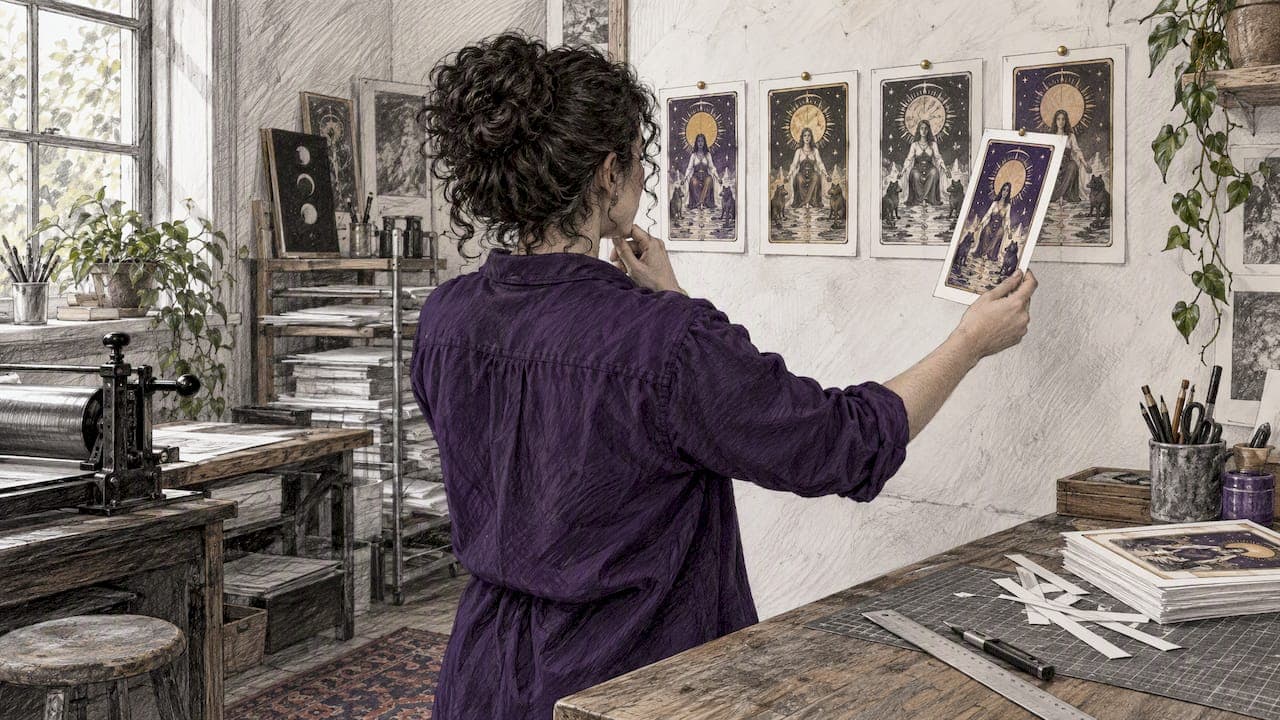
You can create an AI tarot deck by pairing a text-to-image model with one reusable prompt template, generating cards in batches, and exporting print-ready PDFs. Success means a cohesive visual language across all 78 cards, files your printer accepts, and honest disclosure of AI use when you register your work under U.S. Copyright Office guidance.
TL;DR:
- Choose a generator with 300 DPI output or upscaling, a 2.75 by 4.75 inch aspect ratio, batch access, and written permission for printed sales.
- Generate pip cards in batches, but guide anchor cards individually; create several options, then curate the strongest rather than accepting the first output.
- Traditional cards measure 2.75 by 4.75 inches; add 1/8 inch bleed, follow the printer’s resolution and color requirements, and order a proof.
- For U.S. registration, disclose AI imagery and exclude it from your claim while describing human contributions such as selection, arrangement, borders, and edits.
- Print a proof at actual size, test it with beginner and experienced readers, and revise any card that repeatedly causes confusion.
Table of Contents
- Which AI tools should you use to design tarot cards?
- What prompts work for Major Arcana, Minor Arcana, and card backs?
- What is the step-by-step workflow from idea to finished deck?
- How do you generate and edit many cards without losing cohesion?
- How do you prepare tarot files for print?
- How does U.S. copyright work for an AI tarot deck?
- How much does an AI tarot deck cost and how long does it take?
- How do you connect AI cards to traditional tarot meanings?
- How do you test and refine your deck before printing?
- How can you distribute an AI tarot deck digitally as well as in print?
- What ethical issues come with AI tarot decks?
- Why does human curation matter more than the model?
- FAQ
- Sources
Which AI tools should you use to design tarot cards?
Start with categories, not brand names. Text-to-image models turn a written prompt into a card face. Image-to-image tools take a rough sketch or a reference card and restyle it. Prompt assistants help you draft and reuse wording. Batch editors apply the same crop, color grade or border to many files at once.
Free tools cost nothing but often limit resolution, speed and commercial use. Paid tools give you more control, bulk generation and clearer licensing. Convenience usually means less control over style, so decide which matters more for your deck.
Use this checklist before you commit:
- Exports at 300 DPI or a built-in upscaler
- Aspect ratio control, so you can match a 2.75" x 4.75" card
- Bulk generation or API access for batches
- Written license terms that allow selling printed decks
Pro Tip: Read the commercial-use terms before you generate a single card. Changing tools halfway through breaks visual consistency.
For inspiration, browse our tarot card gallery. To see how imagery connects to meaning, read our guide to AI tarot meanings.
What prompts work for Major Arcana, Minor Arcana, and card backs?
Keep one prompt skeleton and swap only the card details. A simple skeleton reads: "[Card name], tarot card illustration, [scene], [style], [palette], ornate border, vertical 2:3 ratio." Here are copy-ready recipes:
- The Fool: "The Fool tarot card, a young traveler at a cliff edge with a small dog, art nouveau style, soft gold and teal palette, ornate border, vertical 2:3 ratio."
- The High Priestess: "The High Priestess tarot card, seated between two pillars with a crescent moon crown, minimal style, deep blue and silver palette, thin border, vertical 2:3 ratio."
- The Tower: "The Tower tarot card, lightning striking a stone tower, collage style with torn paper textures, red and charcoal palette, ornate border, vertical 2:3 ratio."
- Minor Arcana (Three of Cups): "Three of Cups tarot card, three figures raising golden cups, single scene, same palette and border as the Major Arcana set."
- Court card (Queen of Wands): "Queen of Wands tarot card, single seated figure holding a blooming staff, sunflower motif, warm orange palette."
- Card back: "Tarot card back, symmetrical repeating star and moon pattern, deep blue and gold, no text, vertical 2:3 ratio."
Parametrize the palette, border and ratio so you change one variable at a time.
Pro Tip: Keep a text file that logs every prompt change with a date. When a card looks off, you can trace which edit caused it.
What is the step-by-step workflow from idea to finished deck?
Follow this order and you keep cohesion while scaling up:
- Define the concept: a theme, a mood and a short list of symbols you will reuse.
- Prototype a selection of key cards, such as The Fool, The Magician, a Cups card, a court card and a back.
- Write a one-page style guide: palette hex codes, border style, line weight and lighting.
- Build templates for borders and text areas so every card shares the same frame.
- Generate the full set in batches using your locked prompt skeleton.
- Curate: pick the strongest image for each card and flag weak ones.
- Refine and finalize with edits, upscaling and template overlay.
Reference the style guide inside your prompts. If your guide says "muted teal, gold linework, soft light," paste those words into every prompt. Reuse the same wording in post-processing so color grading matches.
Organize files from day one. Use names like major-00-fool-v03.png and keep a folder per stage: raw, selected, final. Never overwrite an earlier version. A numbered copy costs nothing and saves hours when a later edit goes wrong.
How do you generate and edit many cards without losing cohesion?
Batch generation suits concept exploration and repeating motifs, such as the ten pip cards of one suit. Hero cards, like The Fool or Death, deserve single, hand-guided attempts because they anchor how the deck feels.
Run a bulk-edit pass before templates go on:
- Match background treatment across all cards
- Apply one color grade to every file
- Align faces and main subjects to the same area of the frame
- Leave clear space where the title and number will sit
Name files with a fixed pattern and embed card names in metadata so you can sort and search them later. Generic categories of tools help here: a bulk image editor for crops and color, a rename utility for filenames, and a simple script for resizing folders.
Pro Tip: Generate several options per card, then pick one. Cohesion comes from your selection, not from the first output.
How do you prepare tarot files for print?
Printers publish exact specs, so check yours first. Print-on-demand providers list traditional tarot size as 2.75" x 4.75", with mid and jumbo sizes also common, plus guidance on bleed, safe zones and file formats.
Use this prep list:
- Add bleed on every side and keep key art inside the safe zone
- Export at the resolution your printer requires, as printer guides recommend
- Check whether your printer wants RGB or CMYK before final export
- Assemble one multipage PDF in deck order, with faces and the back placed as the printer's template specifies
- State duplicate designs explicitly, as card deck setup guides advise, so the printer builds the intended deck order
Download the printer's template, drop your art into it, confirm the safe zone, then export. Order a proof copy before a full run.
How does U.S. copyright work for an AI tarot deck?
Human authorship is the key. The Copyright Office's Part 2 report explains that copyrightability depends on the nature and extent of human contribution, and that prompts, expressive inputs and modifications are three human contributions that may support copyright in the output. Raw AI output alone is not protected, but your selection, arrangement and edits can be, as university summaries of the guidance put it.
The Copyright Office instructs applicants to disclose AI-generated material and exclude it from the claim.
Practical steps:
- Use the Standard Application
- In "Author Created," describe your human work: for example, "selection, coordination and arrangement of images; hand-drawn borders; text"
- In "Material Excluded," list the AI-generated imagery you did not author
- Keep drafts and edit records to show substantial modification
Phrase your claim around what you did, not what the model did. If you repainted, collaged or redrew a card, say so. This is general information, not legal advice; confirm details with the Copyright Office or an attorney.
How much does an AI tarot deck cost and how long does it take?
Traditional commissioning for a 78-card deck has been estimated at $5,000 to $20,000. AI lowers that barrier sharply, though it does not remove every cost.
- Time: prototypes take hours to days. A polished 78-card deck with iteration usually takes days to weeks.
- Model costs: credits or a monthly subscription for your chosen tool
- Editing: optional professional retouching for hero cards
- Printing: proofs, a first run or print-on-demand fulfillment
Budget your largest expense around printing and curation time, not generation.
How do you connect AI cards to traditional tarot meanings?
Pictures are only half a tarot card. Each card carries a rich history of meaning, so build the image around the symbol, not the other way around. Before you prompt, write a short note for each card: its core meaning, upright and reversed, and the symbols a reader expects to see. The Tower needs a falling structure and sudden change. The Moon needs uncertainty and intuition. If the model drops the key symbol, rewrite the prompt until it returns.
Check each card against a trusted reference such as a classic public-domain deck, then decide where to depart on purpose. A modern deck can swap a tower for a cracking glass skyscraper, as long as the meaning of sudden upheaval stays readable. Avoid adding random symbols that contradict the card, such as a calm sunrise on the Ten of Swords.
Test meaning by reading, not just looking. Pull a card, read the image cold, and write what you notice. Then compare to the traditional meaning. If they clash, the art may need work. Our example page for The Magician in a one card draw shows how card art and meaning work together in a reading.
Finally, write a short guidebook entry for every card. A short entry for each card helps readers connect your imagery to established interpretation and gives your deck lasting value.

How do you test and refine your deck before printing?
Treat the first full set as a prototype. Print a home proof on plain paper at actual size and handle the cards. Check whether faces are readable, text is legible and borders sit evenly. Shuffle them. Cards that look fine on a monitor often fail at card size, where fine detail turns to mush.
Next, put the deck in front of real readers. Recruit a mix of people, including experienced tarot readers and beginners. Give each a simple task, such as a card spread, and ask questions:
- Which cards did you recognize instantly?
- Which cards confused you or felt off?
- Did the style feel consistent from card to card?
- Did any image feel disrespectful or misleading?
Record answers in a spreadsheet by card number and look for patterns. If multiple people trip on the same card, fix it. Prioritize clarity of symbol over decoration.
Refine in rounds, not all at once. Fix the worst cards, regenerate, compare against your style guide and test again. Keep version numbers on files so you can roll back. Stop when feedback shifts from "what is this?" to small taste preferences. That is the sign you are ready to order a professional proof.
How can you distribute an AI tarot deck digitally as well as in print?
Digital and print work best together. A PDF is the simplest digital option: export the same artwork as a compressed, screen-sized file set, and sell or share it as a downloadable deck. Include your guidebook entries so buyers can read along. Offer a low-resolution preview so people can judge style before buying.
Apps and web viewers give readers a way to draw cards on their phones. A simple card-draw page, with your artwork and short meanings, lets people use the deck anywhere. If you do not code, look for no-code builders that handle image galleries and random selection.
Print-on-demand platforms handle fulfillment without an upfront inventory. Upload the multipage PDF built to the printer's specification, order a proof, then list the deck for sale. For small batches or crowdfunding, a larger first run through a card printer may lower the unit cost.
Think about licensing for each format. State clearly what buyers can do: personal readings, public sharing, commercial reading use. Keep your copyright notice and disclosure wording consistent across every storefront.
If you want to see how digital tarot lives inside a wider spiritual practice, browse public tarot readings from our community for ideas on how people read, save and share cards online.
What ethical issues come with AI tarot decks?
Tarot is a spiritual and cultural practice, and many people take it seriously. Respect begins with honesty. Say clearly that your deck uses AI assistance. Do not present unedited model output as hand-painted work. Buyers deserve to know what they are paying for, and your registration records should match your marketing.
Respect other artists. Image models learn from existing artwork, and some artists object to that. Avoid prompts that copy a living artist's name or signature style. Choose tools whose training and licensing practices you are comfortable defending, and be ready to explain your choices.
Respect the traditions behind the cards. Tarot symbolism draws on many cultures and religions. Do not use sacred imagery, such as deity figures or ritual objects, as mere decoration. When you borrow a symbol, learn what it means to the people who hold it. If you are unsure, ask practitioners or leave it out.
Be careful with claims. An AI deck cannot predict the future, and no card should promise health, money or legal outcomes. Frame readings as reflection, which also matches how we approach tarot at Tarosyn. Finally, think about privacy: if readers share personal questions in your app or community, protect that data and tell them how it is used.

Why does human curation matter more than the model?
I have seen how quickly a model can produce many pretty images, and how rarely they add up to a deck. The meaning comes from the choices: which symbol stays, which card gets redrawn, which image you reject. That is the work a reader feels. Disclose your AI use plainly, credit the people whose work inspires you, and never pass raw output off as hand-painted art. A deck you shaped is one you can stand behind.
— Joseph Calitoy
FAQ
Can you copyright an AI-generated tarot deck?
Not the raw AI output, but you can protect your human contribution. The Copyright Office's report says prompts, expressive inputs and modifications may support copyright in the output. Disclose the AI material when you register.
What size should tarot cards be for printing?
Traditional tarot cards are 2.75" x 4.75", with mid and jumbo sizes also common, according to print provider specifications. Add 1/8" bleed and export at 300 DPI. Always confirm the exact size on your printer's template.
How do you keep AI tarot cards looking consistent?
Reuse one prompt skeleton and change only the card details. Lock your palette, border and aspect ratio in a written style guide, and apply the same color grade to every card. Log every prompt change so you can trace problems.
How long does it take to make a full 78-card deck?
Prototypes take hours to days, and a polished deck with iteration usually takes days to weeks. Hero cards and testing take most of that time. Printing proofs adds time to the process.
Sources
- Ai
- Your Printing on Demand Company in Vestal, NY | Superior POD Inc. : Oracle Card Printing
- Specifications for Print Cards – DriveThru Partners